


For businesses · 5 steps · about 15 minutes
Start accepting Zcash
Take private, low fee payments from anywhere in the world. No bank, no middleman, no chargebacks. The money goes straight to your own wallet. Here is how, step by step.
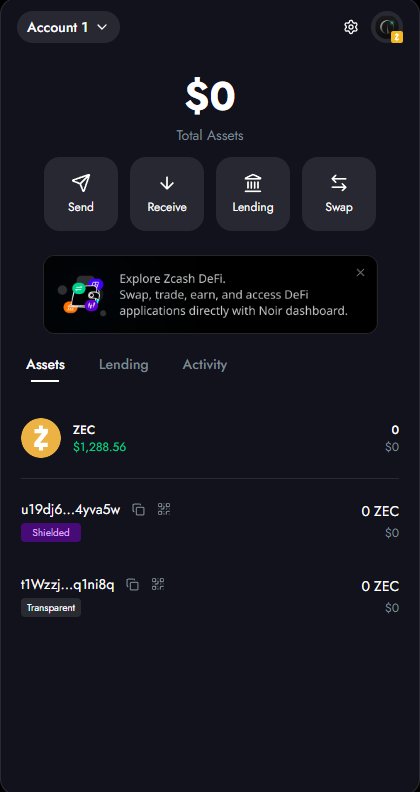
Get a Zcash wallet
Install a Zcash wallet on your phone. Zashi, Zodl, Vizor, Noir and Zingo all work. If you are new to Zcash, our wallet guide walks through every screen with real screenshots.
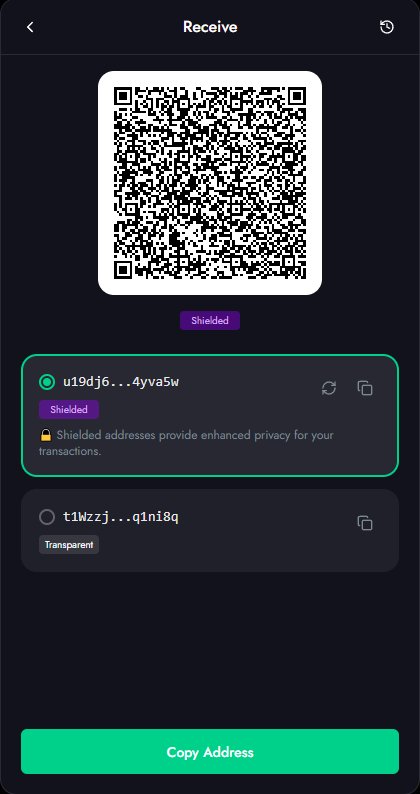
Copy your shielded address
Open the wallet, tap Receive, and copy your shielded address
(it starts with u1… or zs…). Shielded means the amount
and who paid whom stay private. This is the address you will accept payments on.
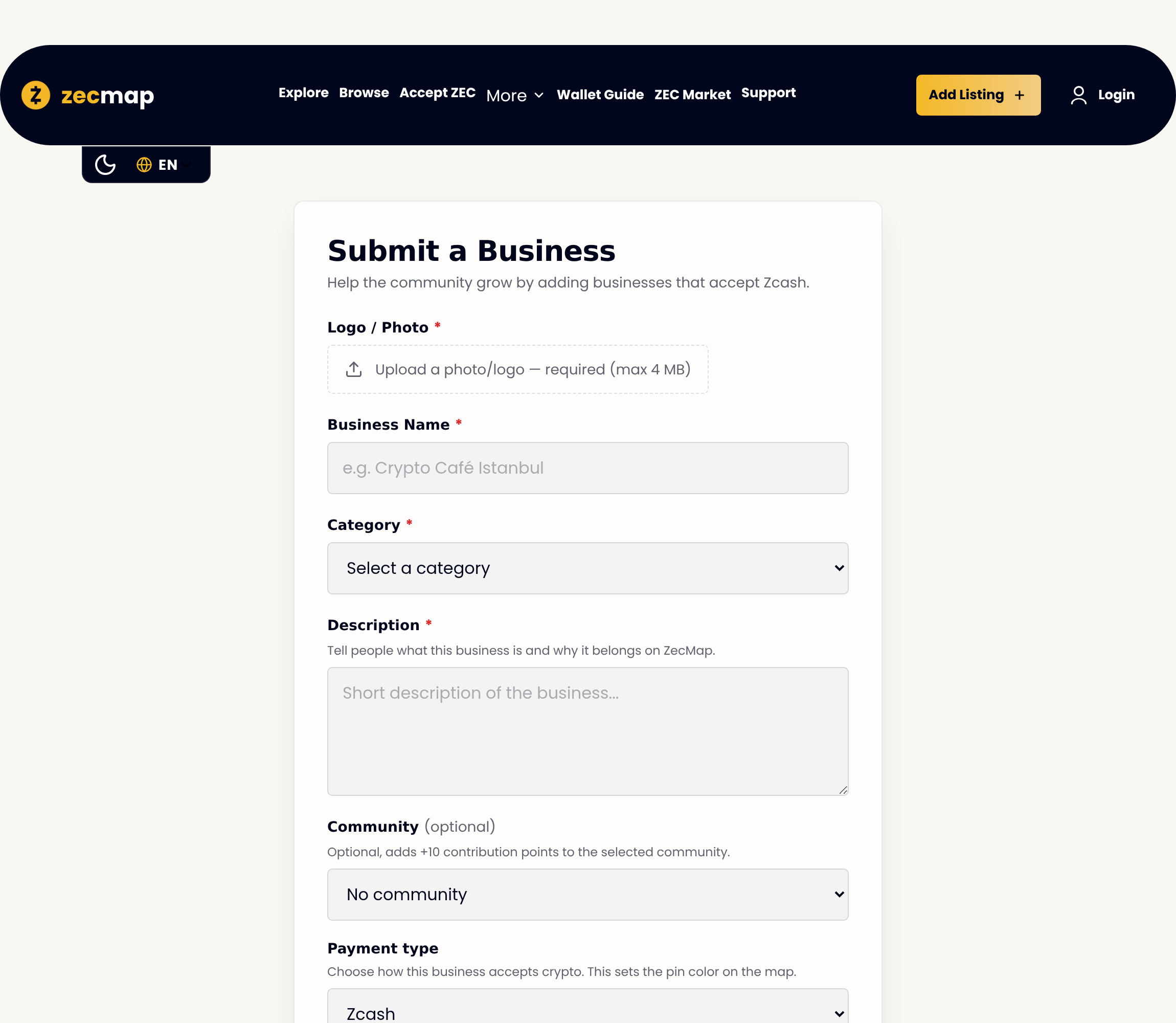
List your business on ZecMap
Go to Add Listing, fill in your name, category and a photo, and paste your Zcash address. Once our team approves it, your business gets its own page on ZecMap and appears on the map.
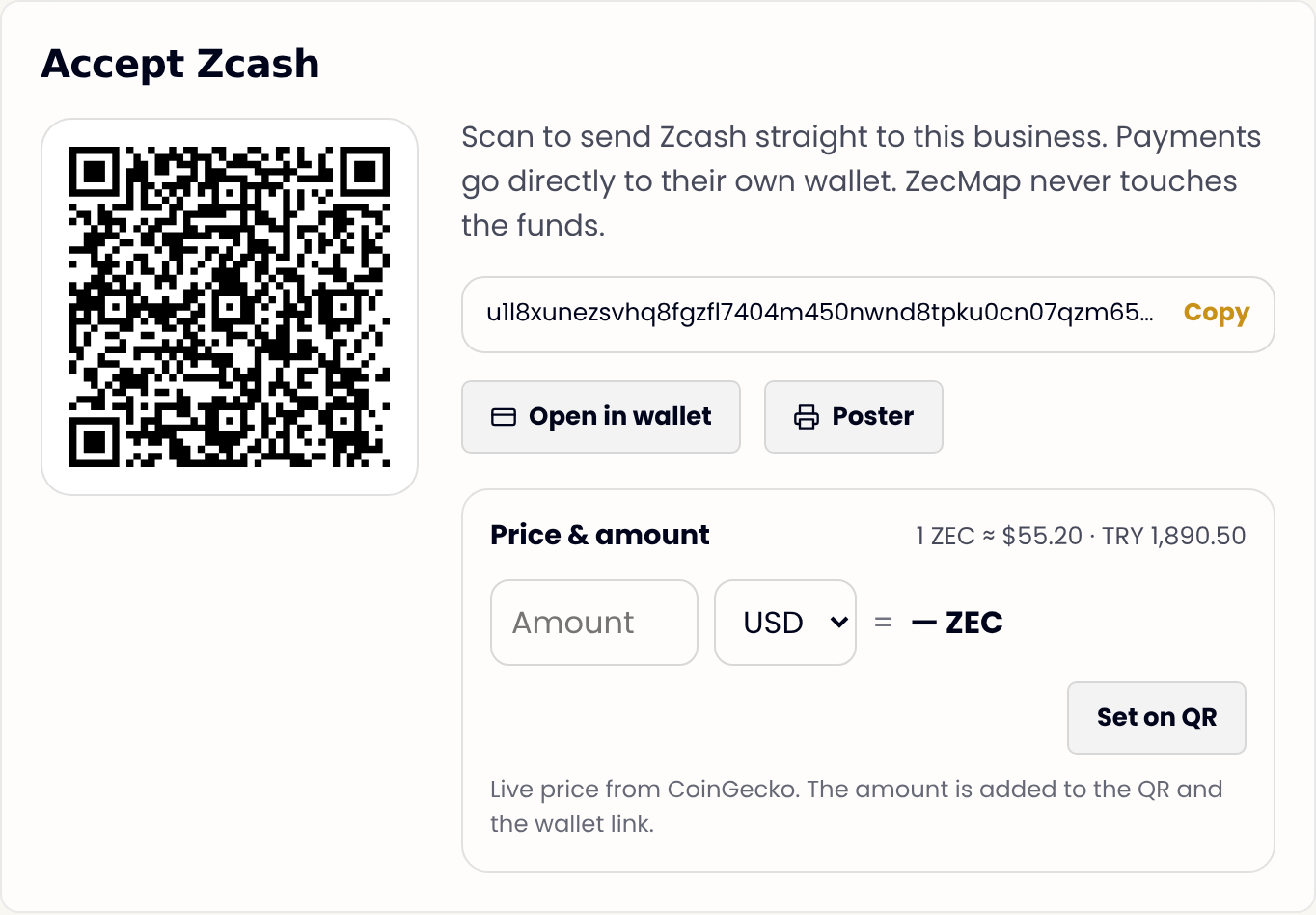
Show your QR and print a poster
Your page builds a payment QR from your address, with a live price converter so you can turn any amount into ZEC. One click gives you a clean, printable poster for your counter or window, with your own QR and the Zcash logo.
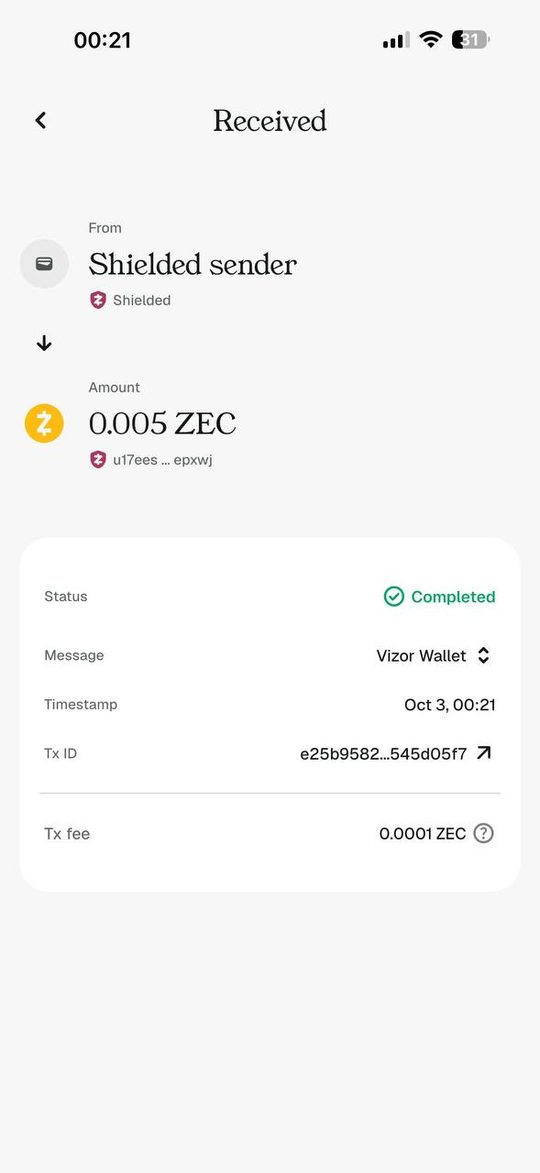
Get paid, privately
A customer scans the QR, their wallet opens with the amount already filled in, and they confirm. The ZEC lands in your wallet in seconds, with a tiny fee. You see it arrive right there in your own wallet. No bank, no chargeback, no middleman.
Ready to take Zcash?
It takes about 15 minutes and costs nothing to list.